resources
what's in the kit, and what you can swap
for educators adapting this kit to their own classroom, budget, or what's actually in stock. all prices are from Adafruit's own site, pulled at the time this page was last updated, always double-check before ordering in bulk since prices and stock shift.
bill of materials, per kit
| item | unit price | 10–99 qty price |
|---|---|---|
| Adafruit RP2040 Feather ThinkInk for 24-pin E-Paper Displays, STEMMA QT (#5727) | $17.50 | $15.75 |
| 2.13" 212×104 Flexible Monochrome/4-Gray eInk ePaper Display, ILI0373 (#4243) | $17.50 | $15.75 |
| Soft Silicone Top 6mm Push-buttons, 20-pack (#4183), 2 used per kit | $2.50 / pack | $2.25 / pack |
| Small Alligator Clip to Male Jumper Wire Bundle, 12-piece (#3255), 2 used per kit | $7.95 / bundle | $7.16 / bundle |
| USB Type A to Type C Cable, 1m (#4474) | $4.95 | $4.46 |
the button and clip packs cover several kits each, one 20-pack of buttons covers 10 kits, one 12-piece clip bundle covers 6 kits. order accordingly rather than one pack per kit.
stock warning: the flexible eInk display (#4243) has shown very low stock at times, as few as 5 units. if you're ordering a full classroom set, check availability early and order well ahead of your workshop date.
what you'll also need, not in the kit
- a laptop or computer to run Mu Editor
- Mu Editor, free, works on Mac, Windows, and Linux
- scissors, an xacto knife, or similar for the enclosure
- felt, fabric, cardboard, or other materials for fabrication (see fabrication)
alternatives
the flexible eInk display has a real hardware limit: it can only redraw once every 180 seconds (see about for why). if that pacing doesn't fit your classroom's timing, or if the eInk display is out of stock, a monochrome OLED display swaps in cleanly on the exact same microcontroller.
OLED alternative: what to buy
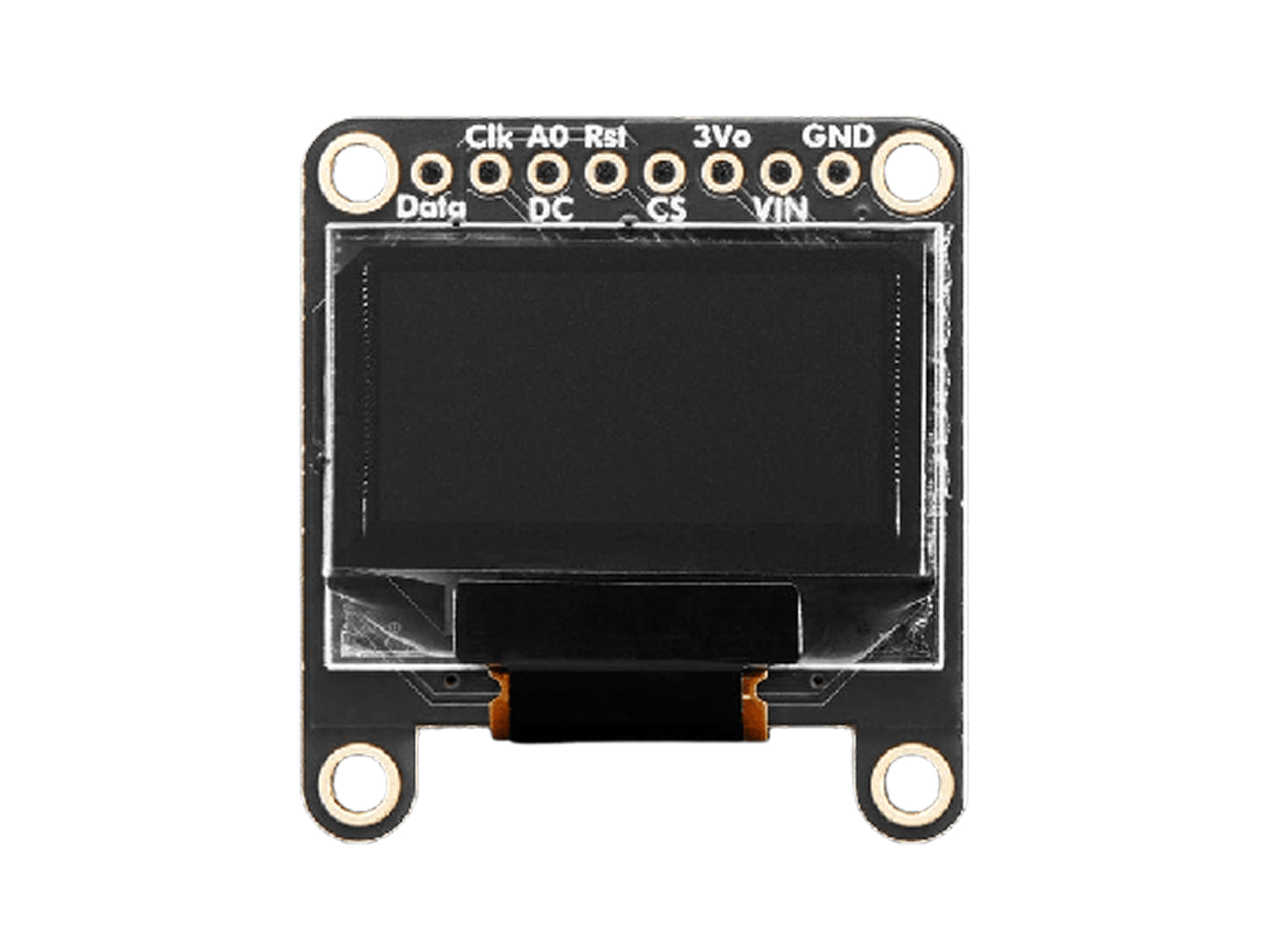
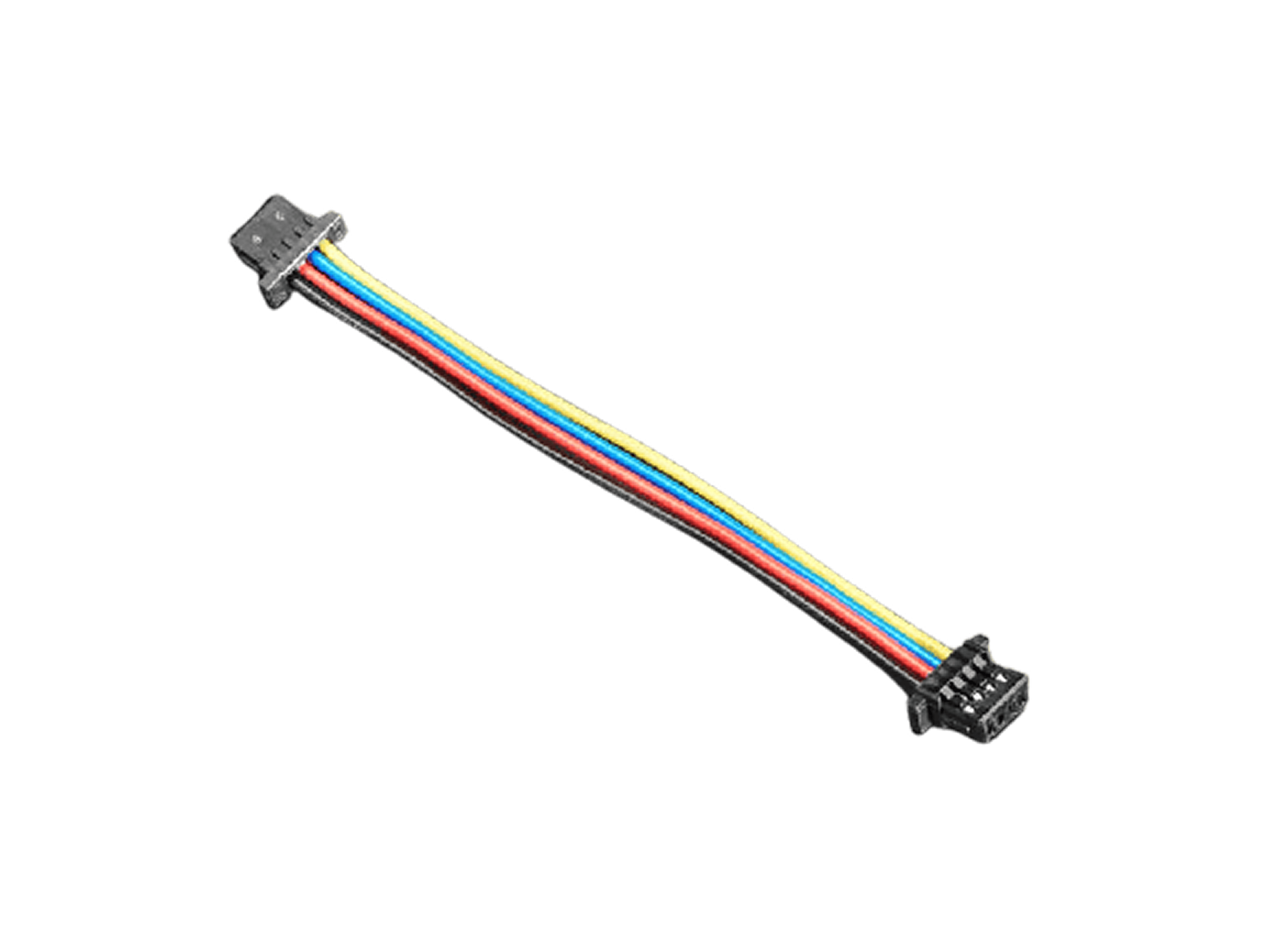
the OLED, and the cable that connects it, that's the entire wiring step, no soldering, no loose pins.
| item | unit price | 10–99 qty price |
|---|---|---|
| Monochrome 0.96" 128×64 OLED Graphic Display, STEMMA QT (#326) | $17.50 | $15.75 |
| STEMMA QT / Qwiic JST SH 4-Pin Cable, 50mm (#4399) | $0.95 | $0.95 |
same price as the eInk display, and the same Feather ThinkInk board works for both, no need to buy a different microcontroller.
OLED alternative: wiring
the Feather ThinkInk has a built-in STEMMA QT port. the OLED also has one. connect them with the STEMMA QT cable, that's the entire wiring step, no soldering, no loose wires, no pin matching. this is actually simpler to wire than the eInk display, which uses the separate 24-pin FPC connector instead.
the button wiring (A2 and GND) stays
exactly the same regardless of which display you use, that part
of the circuit doesn't change.
OLED alternative: code changes
the display driver is different, and since OLED has no refresh limit, the code is actually simpler, not just adapted. the shuffle-and-wait architecture in the eInk version exists only to work around its 180-second limit, none of that is needed here.
- swap the library: use
adafruit_displayio_ssd1306instead ofadafruit_il0373 - swap the display setup: initialize over I2C via
board.STEMMA_I2C()instead of the SPI/FourWire setup the eInk display needs, and no busy pin - no refresh-limit logic at all, the display auto-updates the instant you set
display.root_group - each button press can show a new random message immediately, rather than the eInk version's one-press-starts-a-forever-loop approach
download the working OLED code.py
this project's earliest prototype was actually built on this exact
OLED, before switching to eInk for the paper-like quality. the
file above is a real, tested adaptation of the current
content list and button logic, not just a sketch of
what it would need.